
Academic Dashboard
A private, local dashboard for Purdue Brightspace: one calendar, one to-do list, and a daily Windows notification.
The problem
Coursework at Purdue is spread across Brightspace, publisher sites, announcements and syllabi. I wanted one place that shows everything due, without handing my login to a hosted service.
What it does
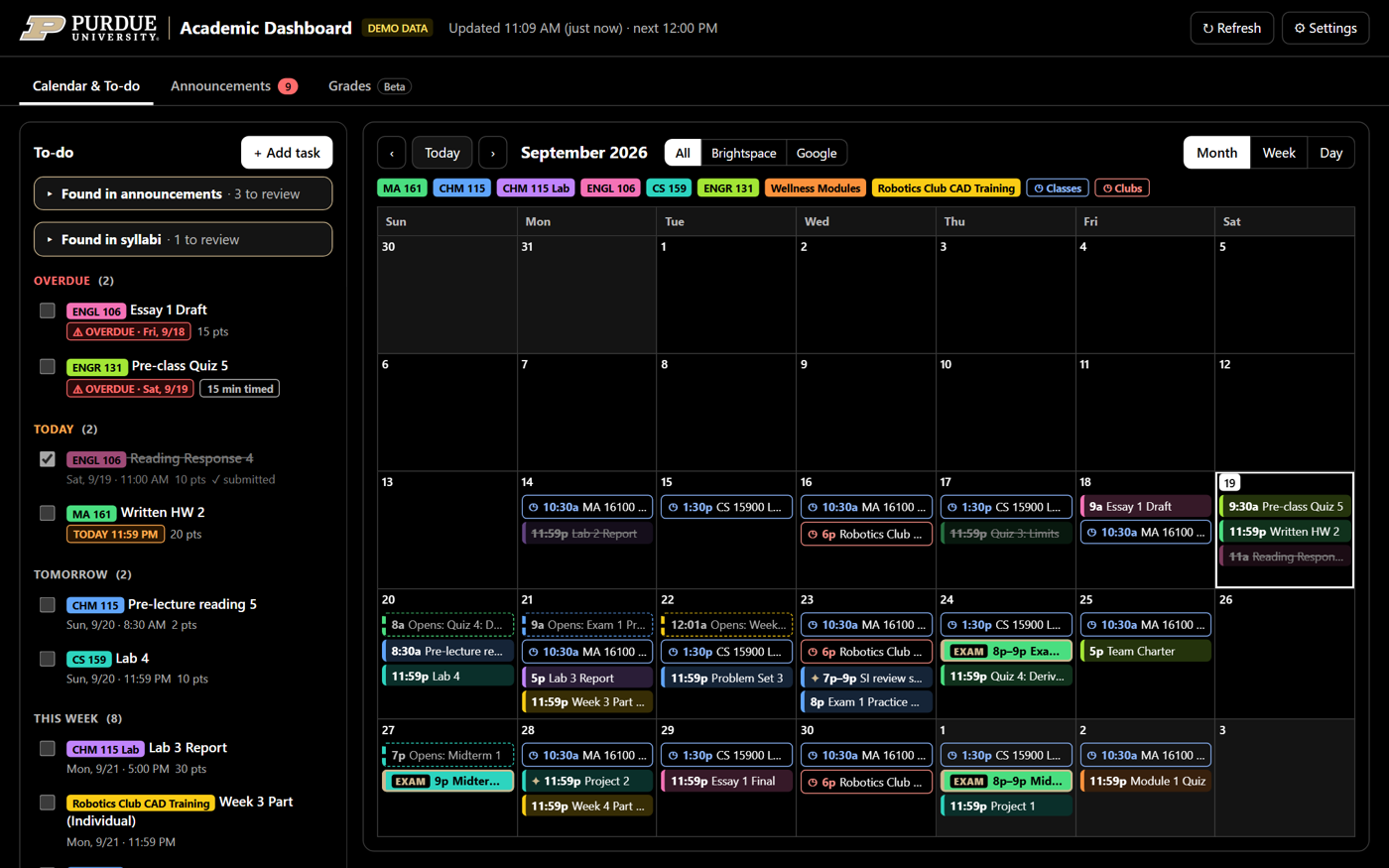
Academic Dashboard runs privately on a Windows PC and opens in the browser. It keeps one calendar and one to-do list for every Brightspace course.
- A to-do list grouped into overdue, today, tomorrow and this week; submitted work ticks itself off.
- A month, week or day calendar, color-coded by course, including when quizzes open.
- Exams highlighted in gold, including exam dates instructors only mention in announcements.
- One Windows notification at startup and every three hours listing what is due.
- One-click updates that keep your data.
How it works
A small Node.js server refreshes from Brightspace every three hours and at midnight. The login is stored in Windows Credential Manager, so the dashboard never sees the password. A local Chrome extension imports assignments from Labflow, Macmillan Achieve and Pearson MyLab using tabs you are already signed in to.
Optional features are off by default. Smart Announcements and Syllabus scan send course text to Claude with no tools, so it can only suggest events, and every suggestion is checked against the original text before it is used. A Google Calendar view, Slack club events and a beta Grades tab with what-if scores are also available.
Setup
Installation is written for an AI coding agent: open the folder in Claude Code or Codex, type "Set up the academic dashboard", and the agent follows the repository's AGENTS.md. You still approve each command and type your password only into the sign-in window.
Where it stands
Version 1.6.4 is the latest release. It is Windows 10/11 only, and Grades is still in beta.